How would you like to turn your 6 megapixel D100 into a 17 megapixel super D100 for less than $20? You can if you use a Macintosh running OS X. Well, maybe it really won’t actually turn a D100 into a 17 megapixel camera, but you’ll be able to create images of 17 megapixels or even larger relatively painlessly.
Enter a progrom called DoubleTake for Mac OS X. It’s a handy little shareware gem that does a stellar job of stitching images together to form a huge photograph that’s ideal for printing at up to poster sizes with incredible detail.
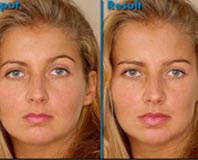 You just can’t believe anything you see these days.
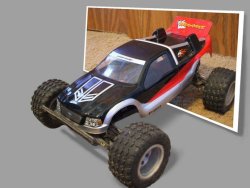 Instructables, a site that lets you share “what you make and how others can make it,” has a neat tutorial by Andrew546 describing how to create a 3D effect (pictured right) with your own photos. I’d say this tutorial is for anyone who knows the basics of layer masking (or who really wants to learn more about it). The 8-step tutorial is easy to follow with pictures describing each step.